If you are just looking for a very basic GPS with NOTAM’s and airspace warnings there is actually a way to do this for free. I will provide a guide on Using Skydemon Light and UK Airspace Avoid as a free GPS.
For this guide I will be doing the demonstration using an iPad.
- First you open SkyDemon and plan your route by touching your waypoints and then moving the purple line should you wish.

- Next you want to set you height, speed and winds so you can get the corrected heading.

- Then you want to export your route via email so you can import it into UK Airspace Avoid.

- Send the email.

- Open the attachment and choose UK Airspace Avoid

- UK Airspace Avoid will confirm your flightplan has been imported.

- Click the menu icon and choose load flightplan.

- Select your flightplan.

- Your route is imported!
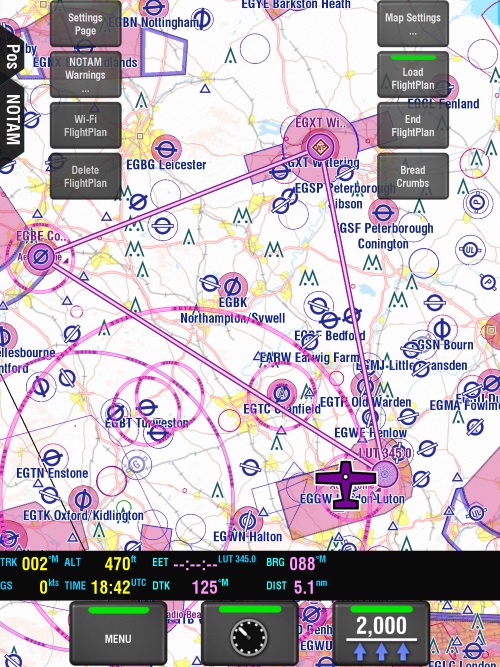
Now personally I wouldn’t fly with JUST my GPS route like this, in fact, I wouldn’t even fly with this as my primary method of navigation. I would still use my map as my primary navigation (at the time of writing I am a PPL student so you do not use GPS) but having a GPS backup is in my opinion a good thing. It is the 21st century not 1956 and I think we should use all the tools that help us. I mean, who is still going on long road trips just using a map? Times change.
Everyone needs to know how to use a map for flying (no signs in the air) so you need to be able to navigate by using a map and features. However, have a GPS backup is most defiantly an aide! This will give you a very basic GPS with a few additional features, there are programs out there that provide way more functionality then you will get from this. They will provide approach plates, weather etc.
Anyways, safe landings 🙂 …. and accurate navigation.